How to Convert Multiple Video and Audio Files
In today's digital age, the ability to convert multiple media files into different formats is essential for versatility and compatibility across devices and platforms.
Whether you're a content creator or simply looking to streamline your library, all you need is a reliable video conversion software.
In this article, we delve into the functionalities of Icecream Video Converter, a powerful yet user-friendly program designed to change assets to both clip and audio extensions effortlessly.

What formats are supported?
The free video file converter for PC facilitates a wide range of input and output types.
Source ones include the popular AVI, MP4, MOV, WMV, MKV and less common such as MTS, VOB, FLV and others.
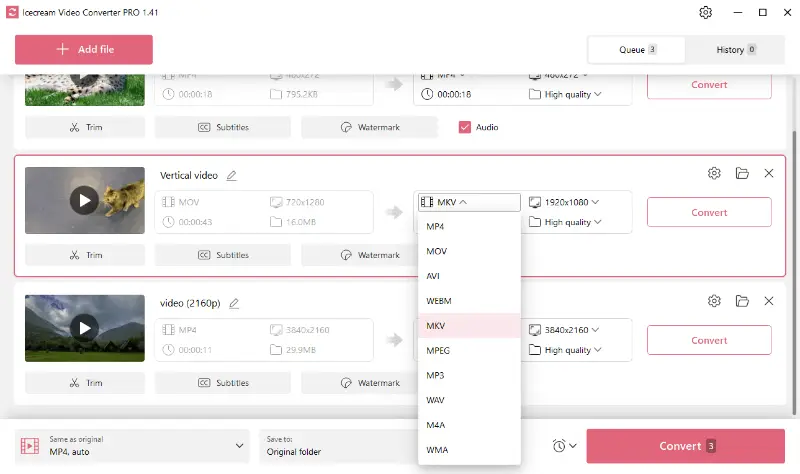
Output are MP4, MOV, AVI, WEBM, MKV, MPEG, MP3, WAV, M4A and WMA.
Therefore, the app will be able to transform almost any clip into a more accepted or device-friendly format.
How to convert multiple video files
1. Download and install the program
Download the video converter for PC, save the installation file on your computer, and proceed forward as suggested by the Wizard. Upon completion, launch the utility and start your first conversion session.
2. Add media files
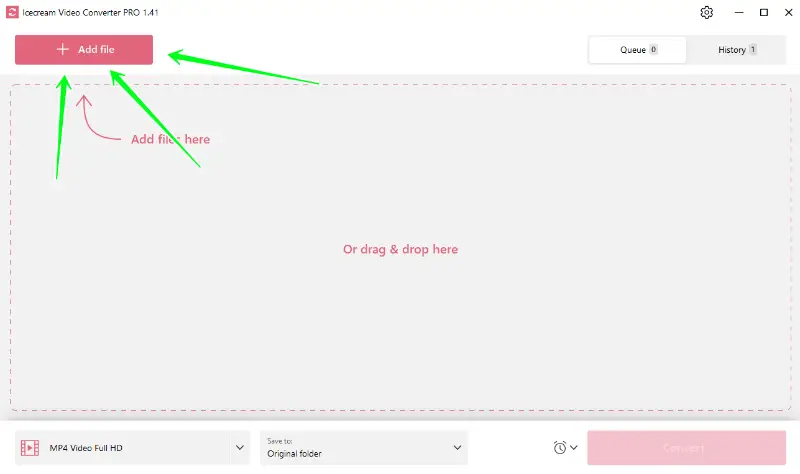
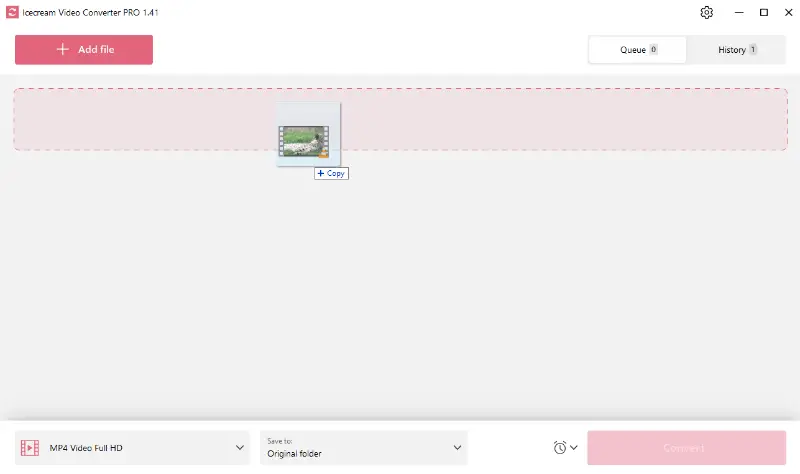
To import your video or audio, click the "Add file" button (upper left corner). Plus, you can simply drag and drop your items from various folders.
3. Configure output settings
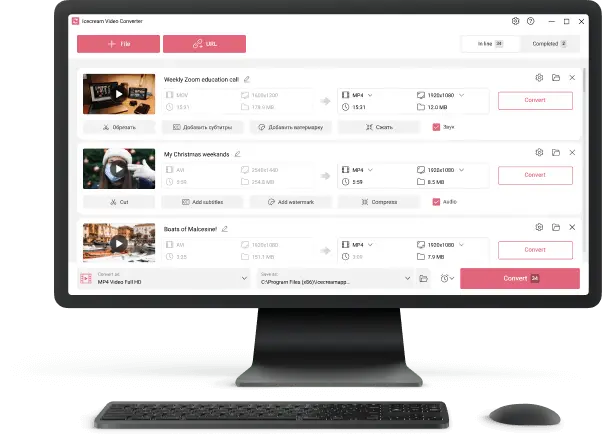
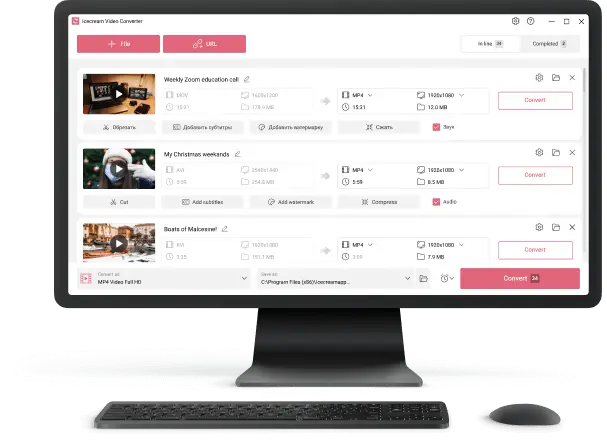
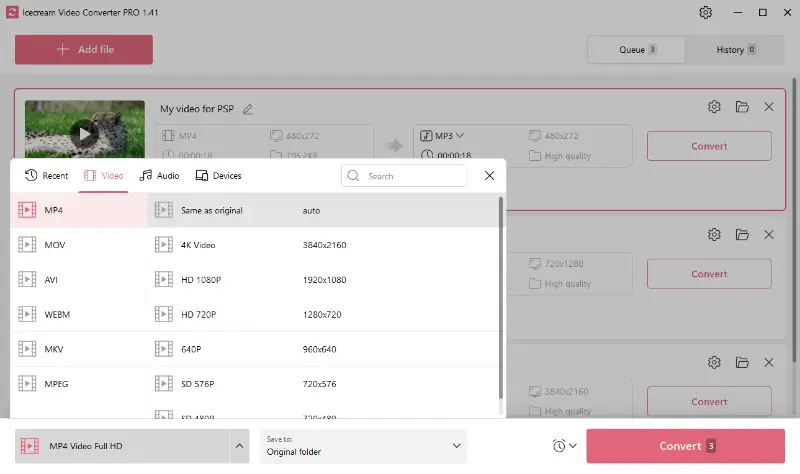
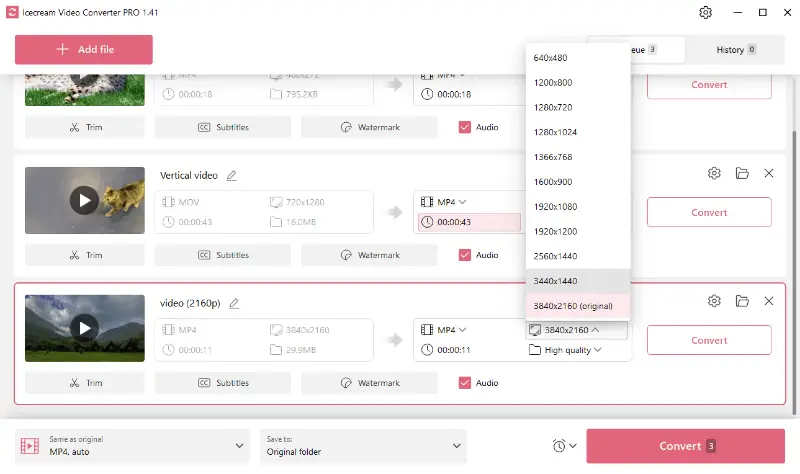
- Video format. Set the desired type. Select one of the presets to apply the extension for all added files or manually choose an option for each visual using the "Convert to" menu.
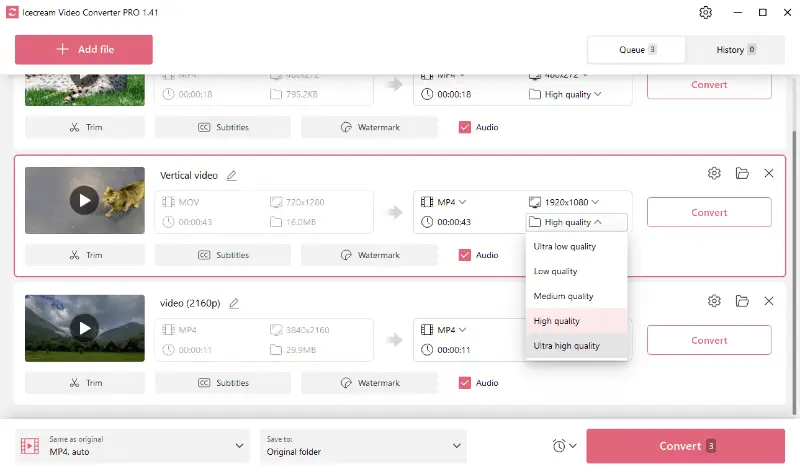
- Quality and resolution. This free batch video converter has a feature to select the resolution and fidelity for the output. Simply pick the desired variant from the dropdown menus.
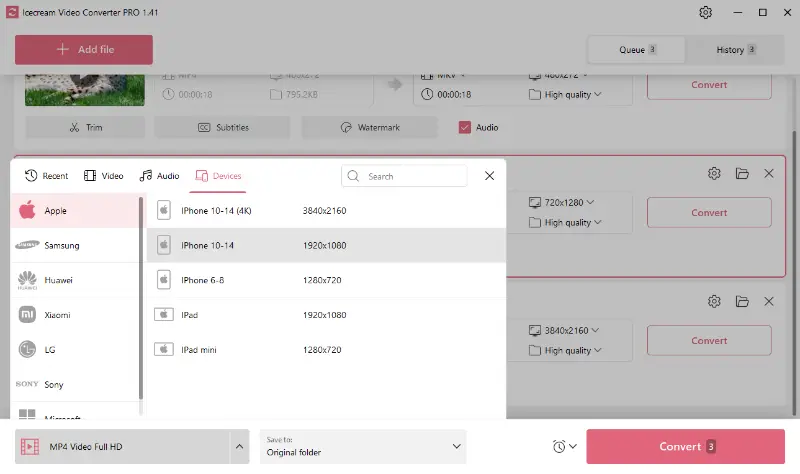
- Device presets. In the bottom left corner, you can find all the templates available for the transcoding. The software has you covered if you need to view the footage on a particular device but not sure what format to choose.
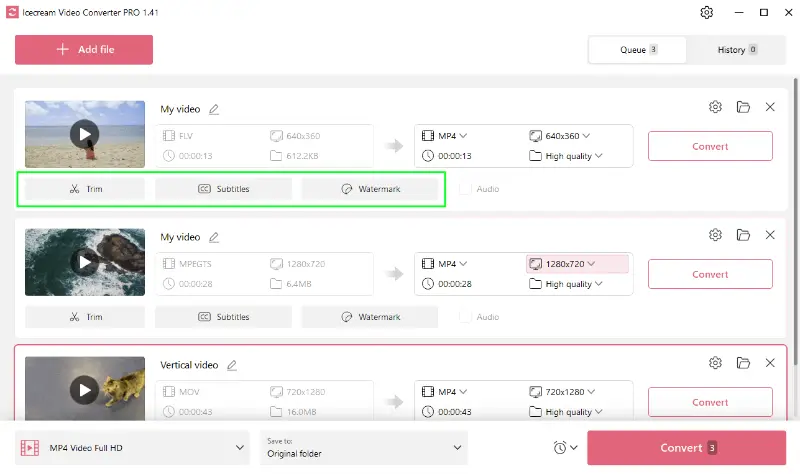
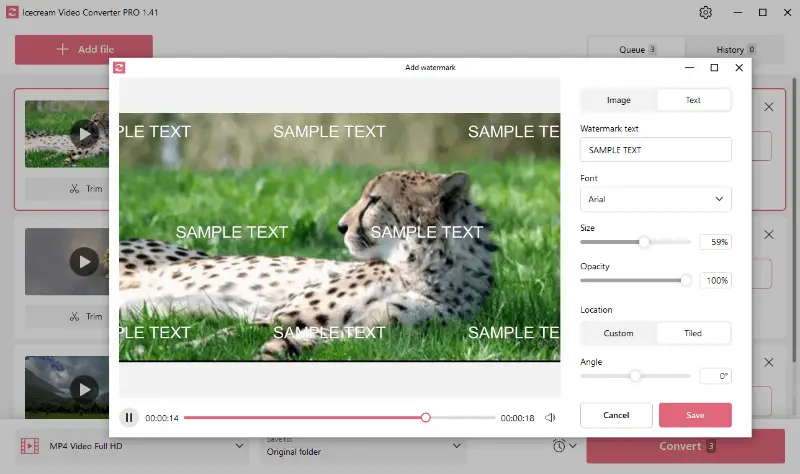
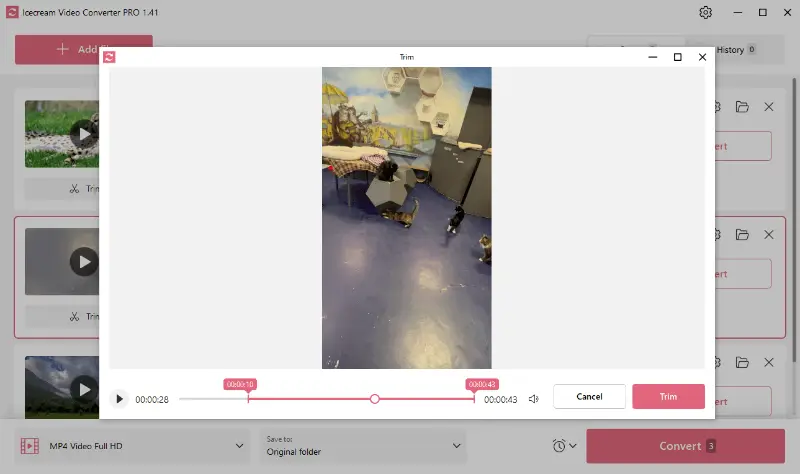
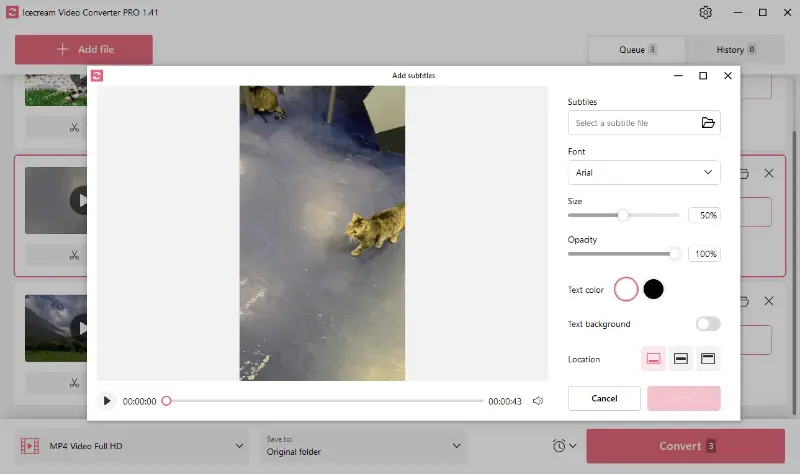
- Optional tools. Finally, you can utilize additional features to personalize your films. In a few clicks, you can incline your own text or image watermark, insert subtitles from an SRT file, and even trim the start and end of your creation before the conversion.
4. Start multiple file conversion
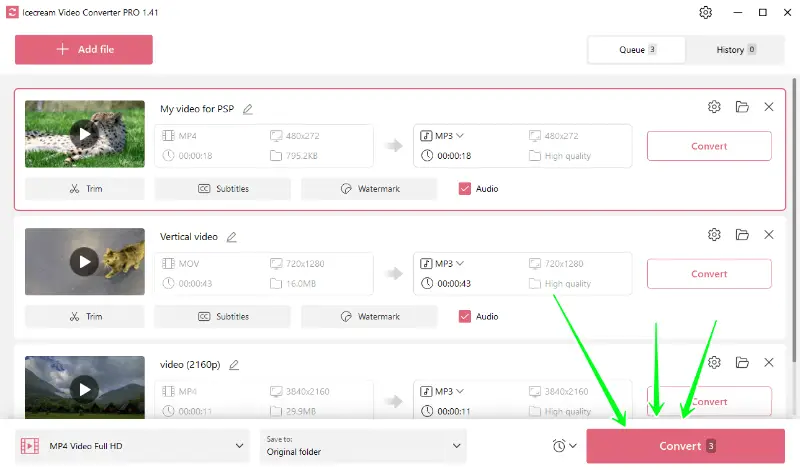
To turn a pile at once, press the pink "Convert" button in the bottom right corner of the program window. The encoding will start from the first added element.
Please note that clicking "Convert" next to an incorporated clip will only affect that one item.
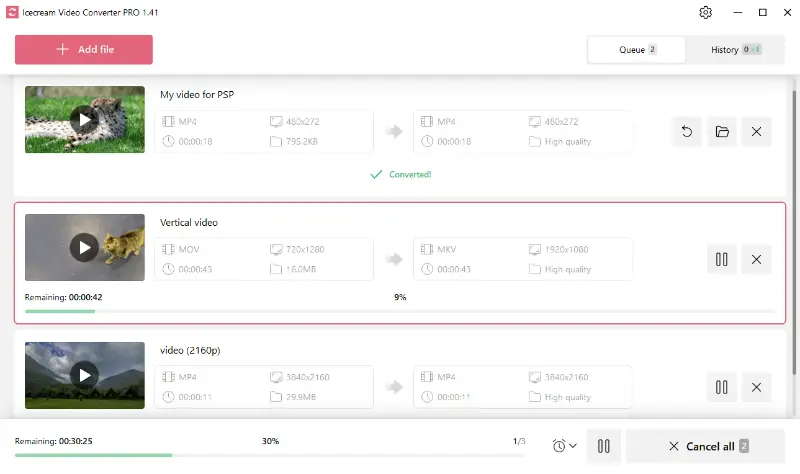
It’s possible to control the process by hitting the "Cancel" and "Pause/Resume" icons near the progress bar.
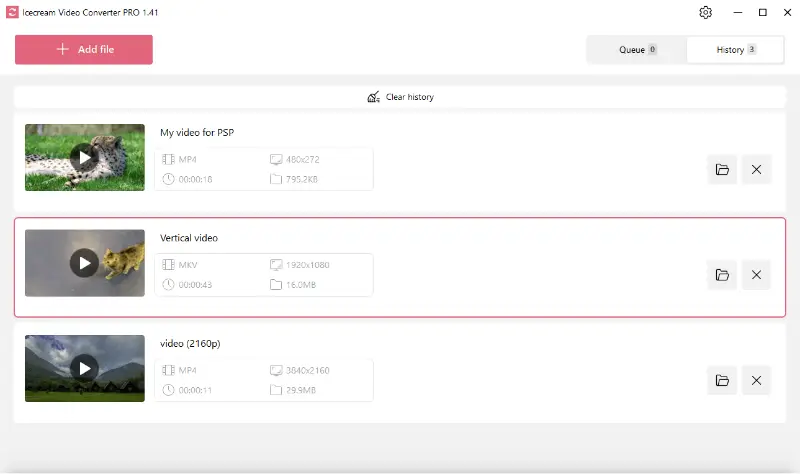
Once the modification is completed, tap "Open folder" in a new popup window and check the output in a containing location. Alternatively, this batch video converter allows you to view the processed media in the "History" panel.
Popular media conversion formats
Video Formats
| Format | Description |
|---|---|
| MP4 | A digital multimedia container commonly used to store video and audio, but also useful for streamable content online. |
| MOV | Apple's QuickTime Movie type, accepted by iOS and macOS and also adaptable to others. |
| AVI | A container developed by Microsoft, typically less compressed, resulting in larger items suitable for local storage. |
| WEBM | An HTML5-supported video extension designed for the web, boasting high-quality elements but in smaller sizes. |
| MKV | A free, open-source multimedia codec able to hold an unlimited number of video, audio, or subtitle tracks within a single file. |
| MPEG | A standard for lossy reduction of video and audio, adopted internationally for television broadcasts and DVD movies. |
Audio Formats
| Format | Description |
|---|---|
| MP3 | A standard technology and format for compressing sound into a very small file, ideal for digital audio players. |
| WAV | Delivers CD-quality audio tracks but takes up significant space, suitable for professional editing applications. |
| M4A | Stands for MPEG 4 Audio and is a file extension used to store audio files. Most commonly utilized by Apple for lossless minimization. |
| WMA | Windows Media Audio, a format created by Microsoft to handle sound in various ways, including streaming, compression, and voice chat. |
All these types can be used across a broad range of devices and platforms, depending on specific needs and requirements.
FAQ
- Can I convert different formats at once?
- Yes, many tools allow you to process different docs at the same time. Icecream Video Converter supports such a feature, too.
- How long does it take to turn a large number of files?
- The processing time depends on their size and the power of your computer or the speed of the conversion service.
- What role does codec selection play?
- A codec is applied to encode and decode digital media. For video, H.264 is commonly used for efficiency, while AAC is preferred for audio due to its balance of quality and compression. Selecting the wrong codec can lead to compatibility issues or poor-quality output.
- How can I handle metadata during batch conversion?
- Title, author, and album information, is embedded within media. When converting multiple items, it’s essential to ensure that the metadata is preserved or properly updated, especially for music and podcasts. Some formats, such as MP3 or MP4, allow you to embed metadata directly, while others may not retain it.
How to convert multiple video files - final words
In conclusion, Icecream Video Converter emerges as a versatile and reliable solution for changing several media elements to various video and audio extensions.
Its user-friendly interface and robust features empower you to effortlessly tailor media to specific needs, whether it's preparing files for different devices or extracting audio from videos.

Expert Tech Writer