
3 Best Free PDF Form Fillers
Need to complete a form quickly? A PDF filler lets you type directly into documents, add signatures, and send them without printing or scanning.
Whether you're dealing with contracts or tax forms, this tool makes it easy to edit your PDF files online from your browser or device.
In this article, we’ll explore the best free PDF fillers available today, compare their features, and help you choose the right one for your needs.

What is a PDF filler?
This is a tool that lets you enter text, checkboxes, signatures, and other information — especially useful to fill in PDF forms like applications or surveys.
It works with both interactive files (with built-in fields) and standard PDFs by allowing you to write directly onto the page.
1. Icecream PDF Editor
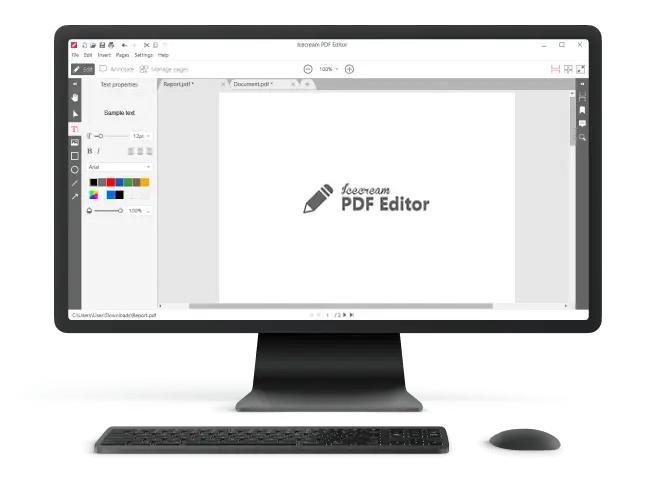
Icecream PDF Editor is a free Windows-based application designed to help you complete PDF forms. It works with both documents that include embedded fields and static pages, where no input zones are predefined.
- Handles interactive forms with text boxes, check marks, and dropdown lists.
- Allows manual input on standard PDFs with the "Text" function — even when the layout wasn’t created for digital entry.
- Enables insertion of electronic signatures via drawing or image upload.
- Includes markup features like PDF highlights, shapes, and comments for review or clarification.
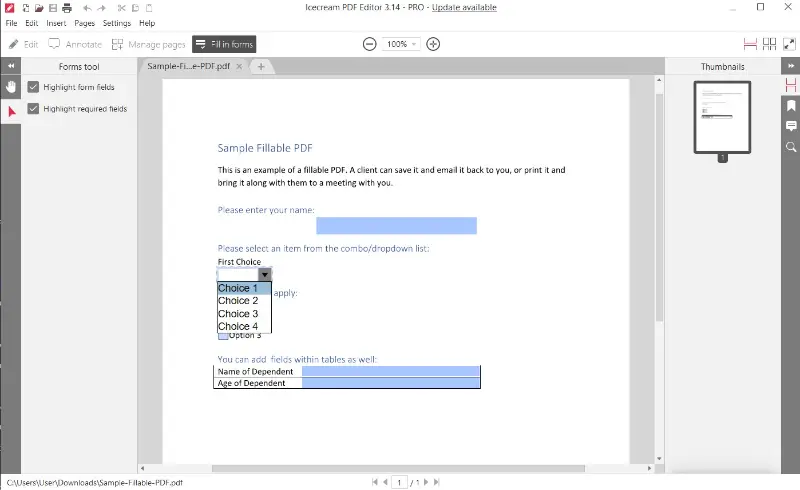
Pros:
- Fully functional without an internet connection.
- Interface is intuitive, even for those unfamiliar with PDF editing software.
- Free version supports all essential features for everyday document processing.
- Offers basic PDF annotation and signature placement without restrictions.
Cons:
- Not available for macOS or mobile platforms.
2. Smallpdf
Smallpdf is a browser-based solution that lets you fill in PDF files online. It provides the tools to input text, mark selections, and add your signature — all within a streamlined interface.
- Recognizes and works with ready-made form fields like input boxes, selectable options, and drop-down menus.
- Lets you insert text manually on standard pages that lack fillable areas.
- Offers a range of signature methods, including drawing, uploading, or auto-generating one.
- Connects seamlessly to Google Drive and Dropbox for quick importing and cloud‑based saving.
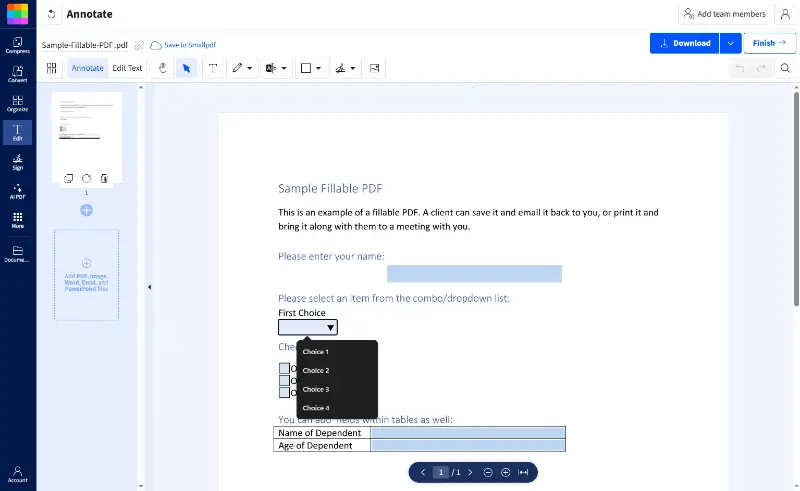
Pros:
- Runs entirely online — no downloads or installations needed.
- Compatible across operating systems and mobile platforms.
- Clean layout with easy drag-and-drop functionality.
- Includes signature features, annotation, and quick export in the free version.
Cons:
- Daily actions of the PDF filler free online are limited without a paid plan.
- Requires a stable internet connection to function.
- Some utilities, like larger file processing, are locked behind a premium subscription.
3. Files app
The Files app on iOS provides a native solution for reviewing and completing PDF forms directly on iPhone and iPad. It is ideal for quick annotations without installing extra software.
- Opens fillable documents with tap-enabled fields, toggles, and selection menus right from the preview.
- Allows you to draw on a PDF, highlight, and insert shapes to mark up documents visually.
- Supports digital signing with stored or new signatures, created by finger or Apple Pencil.
- Offers smooth access to cloud storage, including iCloud Drive and third-party providers.
.webp "Files app on iOS – Fill in PDF on iPhone or iPad")
Pros:
- Comes preloaded with iOS, requiring no additional setup.
- Works seamlessly with Apple Pencil for handwriting or signing.
- Syncs across your devices, ensuring documents are always up to date.
- Markup interface is straightforward and responds fluidly.
Cons:
- Doesn’t include advanced form design or auto-validation tools.
- Limited feature set may not meet professional PDF editing needs.
Conclusion
Free PDF fillers make form-filling fast, paperless, and hassle-free. Whether you need to fill out one file or handle forms regularly, there are great no-cost tools that cover all the basics — from adding text in PDF to inserting signatures.
Try a few from our list to see which works best for your needs, and skip the print-scan cycle for good.

Expert Tech Writer
