
List of 8 Easy to Use PDF Editors
Finding an easy-to-use PDF editor can be surprisingly tricky. Most variants are either packed with way too many features you’ll never apply, or they’re so confusing you need a map just to open a file.
Maybe all you want is to combine a few PDFs, sign a document, or make a quick edit without jumping through hoops. The ideal tool should be straightforward, efficient, and easy to figure out.
In this guide, we’ll highlight the best PDF editors that actually keep things clear and simple — without cutting corners on what matters. Great choices for students, professionals, or honestly anyone who's had enough of complicated software.
Icecream PDF Editor
- Platform: Windows
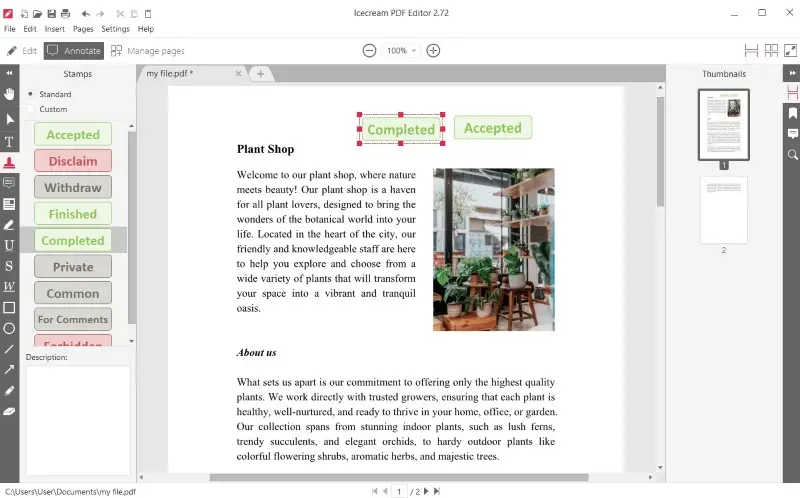
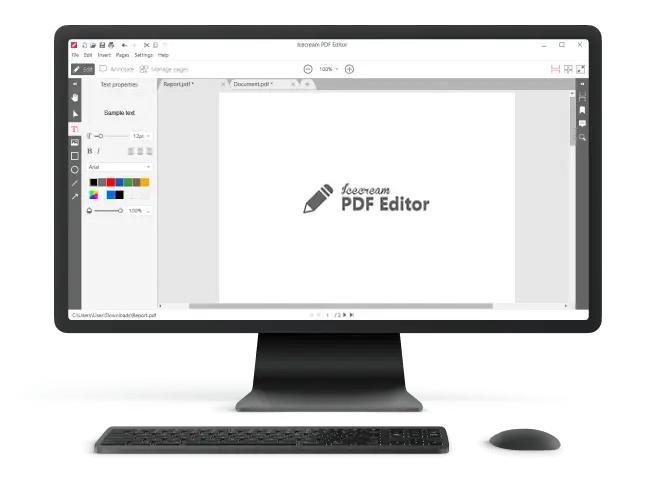
Ideal for users who want a lightweight, best free PDF editor that doesn’t drown you in options or require hours of tutorials. It’s a nifty pick for everyday tasks — updating reports, reviewing forms, reordering pages.
Feature Overview
| Tool | Description |
|---|---|
| Text & Object Editing | Modify existing PDF text, drop in new boxes, and rearrange the layout with handy formatting tools. |
| Annotations | Accentuate passages, underline, strikethrough, or add comments, shapes, and stamps. |
| Page Management | Insert, delete, rotate, or move pages around; merge materials or split into sections. |
| Form Handling | Fill out both interactive and static forms; incline signatures by drawing on PDF, typing, or image. |
| Security Parameters | Apply passwords, restrict printing/editing, and control user permissions. |
| Tabbed Interface | Unfold and manage multiple PDF files within a single window, improving navigation. |
Pros:
- PDF editor designed for clarity and speed, so you won’t waste time hunting for basic features.
- Sticks to the essentials, letting you focus on the task instead of the tool.
Cons:
- Only available for Windows. No support for Mac or mobile devices, unfortunately.
The National Center for Health Statistics outlines specific standards for presenting rates and counts in healthcare, emphasizing the importance of accuracy and clarity in PDF data representation.
PDF-XChange Editor
- Platform: Windows
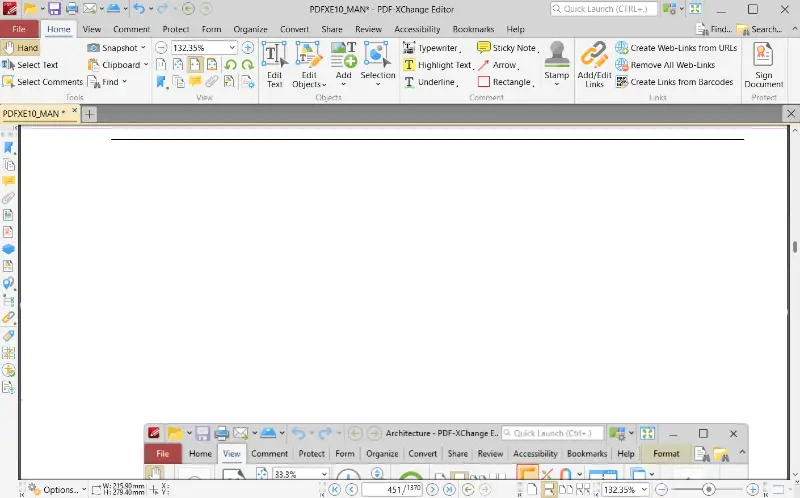
PDF-XChange Editor stands out as a robust, all-in-one solution for managing PDFs on Windows. It’s not only for tech pros — anyone can jump in and get things done, whether you’re redacting a quick invoice or tackling a sprawling report. The interface is stacked with instruments, but it doesn’t feel overwhelming; you can edit PDF files without wrestling with endless menus.
Feature Overview
| Tool | Description |
|---|---|
| Modifications | Retouch text, swap pictures, and tweak content easily. A generous set of formatting choices keeps things flexible. |
| Annotations | Mark up files with highlights, underlines, comments, and a variety of shapes and stamps. |
| Page Management | Combine documents, rearrange, delete PDF pages, or rotate efficiently. |
| Form Handling | Complete built-in forms, create custom fields, and sign electronically — no printer needed. |
| Security Features | Protect with encryption, passwords, and restricted permissions to uphold docs safe from unwanted changes or prying eyes. |
| Advanced Utensils | The integrated OCR transforms scanned images into editable, searchable text. |
Pros:
- Impressive feature list, including OCR and strong form capabilities.
- A wide array of options for PDF commenting, suitable for both quick refining and in-depth projects.
- Smooth performance, even with large projects or complex writings.
Cons:
- The free version does come with a catch: exports get watermarked. It's a bit of a trade-off, but might not bother you for light duties.
Foxit PDF Editor
- Platform: Windows, macOS, Mobile (iOS, Android)
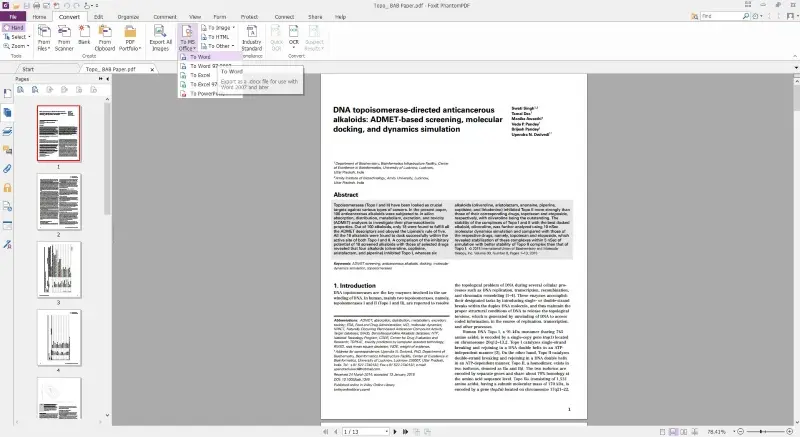
Foxit PDF Editor is a seriously versatile utility, built for both solo gurus and teams who need a reliable way to manipulate PDFs. It packs in a full suite of editing PDF, pointer, and collaboration functions, making it a smart pick for anyone who wants to work with contracts.
Feature Overview
| Tool | Description |
|---|---|
| Text & Object | Easily edit and add text to PDF, images, and other content, adjusting format and layout. |
| Annotations | Point out, add sticky notes, shapes, or stamps to mark up. |
| Page Management | Merge, reorder, split, or rotate pages within a file effortlessly. |
| Form Handling | Fill in or design interactive forms, and add digital signatures. |
| Security Features | Protect sensitive statements with passwords, encryption, and permissions. |
| Collaboration | Share, track changes, and control access for teams. |
Pros:
- Robust editing tools and strong document protection.
- Makes group flow plain, especially with cloud integration.
- Fully supports desktop and mobile platforms.
Cons:
- Some advanced features require a paid upgrade.
Smallpdf
- Platform: Web-based
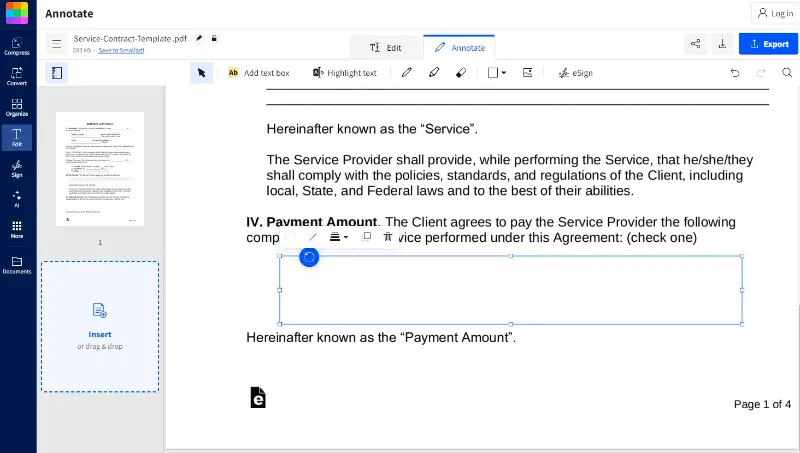
Smallpdf is basically your go-to online toolkit. It’s swift, simple, and you don’t need to be a tech genius to figure it out — just open browser and you’re ready to roll. Anybody who requires PDF modification without fuss will appreciate how remarkably painless this product is.
Feature Overview
| Tool | Description |
|---|---|
| Annotations | Edit PDF with highlights, comments, and shapes to make notes or suggestions. |
| Page Management | Merge, split, rotate, or reorder pages with a few clicks. |
| Form Handling | Fill out and submit forms, convert scanned ones into text. |
| Cloud Integration | Manage files from Google Drive or Dropbox. |
| Conversion | Convert to other formats, including Word, Excel, and PowerPoint. |
Pros:
- UI is unintimidating, which makes it great for beginners.
- Offers speedy components for converting and PDF editing techniques.
- Cloud access means your files are always within reach.
Cons:
- The free plan comes with daily limits, so you might hit a wall if you’re working with lots of archives.
Wondershare PDFelement
- Platform: Windows, macOS, iOS, Android
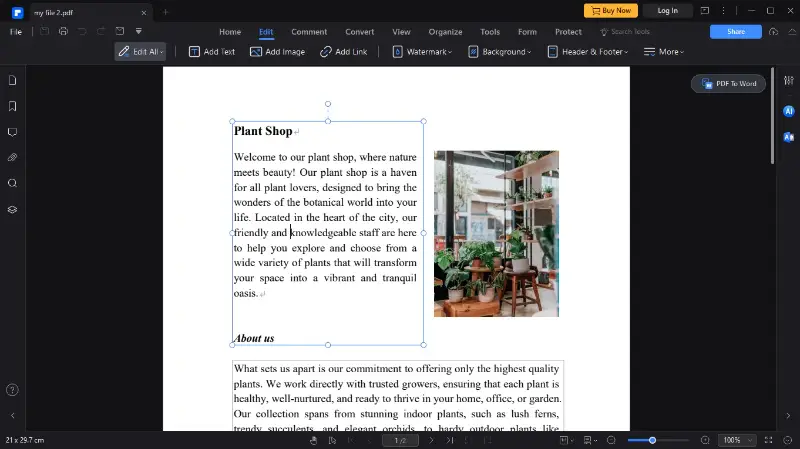
Wondershare PDFelement steps up for anyone who needs more from a PDF editor than the basics. It’s loaded with features that cater especially to professionals — bulk operation, advanced forms, you name it.
Feature Overview
| Tool | Description |
|---|---|
| Conversion | Change PDFs into Word, Excel, PowerPoint, and other formats. |
| Batch Processing | Apply transcodings or watermarking to multiple files at once. |
| OCR (Optical Character Recognition) | Pulls text out of scanned memos and footage, making them searchable. |
| Form Composing | Build fillable forms or update existing ones with minimal fuss. |
| Annotation | Add sticky notes, illustrate text, and draw on PDFs to mark them up. |
Pros:
- Versatile editing, PDF creation, and rendering kit.
- Efficient mass production for bulk work.
- PDF editor with clean and intuitive interface.
Cons:
- Many features are behind a paywall.
- Some users may need time to fully grasp the more advanced capabilities.
Nitro PDF Pro
- Platform: Windows, macOS
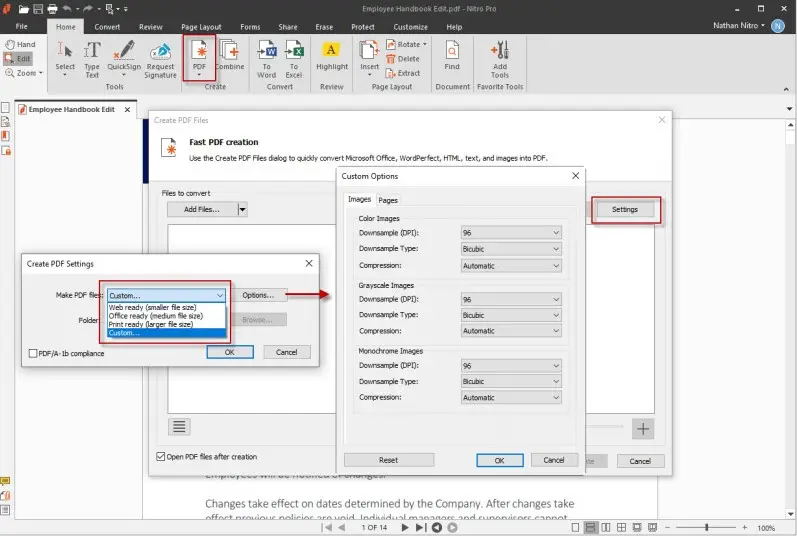
Nitro PDF Pro is aimed at people in search for more than basic PDF viewing. It’s geared toward experts and teams who take on detailed assignments — reviewing, transforming, protecting, and collaborating without making a mess of things.
Feature Overview
| Tool | Description |
|---|---|
| PDF Editing | Change text, shots, and move objects around with a simple drag-and-drop. |
| Document Comparison | Place two PDFs side by side and instantly spot the differences. |
| Signatures | Approve contracts with a secure, legally binding e-signature. |
| Forms Management | Create, edit, and fill out PDF forms directly within the page. |
| Batch Processing | Turn a pile of files into PDFs (or back again) with a couple of taps. |
Pros:
- User-friendly interface packed with practical tools.
- Comparison, perfect for legal or business work.
- Reliable digital autographs and PDF form filling.
Cons:
- You’ll have to buy the full version for all functionality.
- Some features may be overkill for casuals.
PDF Candy
- Platform: Web-based
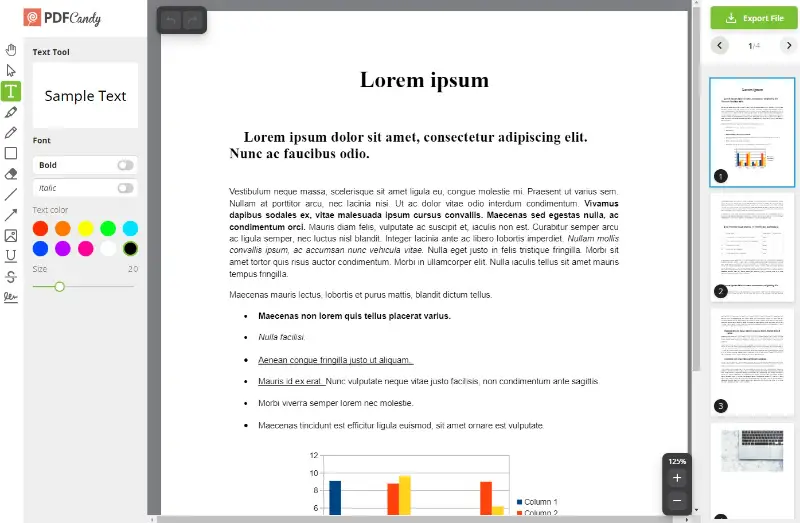
PDF Candy is basically the go-to spot when you need to sort out a PDF without any fuss. You launch it in your surfer — no downloads, no hoops to jump through. It’s really efficient, which is honestly pretty refreshing.
Feature Overview
| Tool | Description |
|---|---|
| Basic Instruments | Edit text in PDF, add shapes, and insert images directly. |
| Conversion | Quickly turn PDFs into Word, JPG, or Excel in seconds. |
| Merging & Splitting | Combine PDFs to a single file or decompose them into smaller sections. |
| Compression | Reduce the document size without sacrificing quality. |
Pros:
- Easy-to-use interface, even if you’re not the "techy" type.
- Free version of online PDF editor offers a decent chunk of features, not just locked previews and teasers.
Cons:
- If you want a desktop app, you’re out of luck unless you’re on Windows.
PDFsam Basic
- Platform: Windows, macOS, Linux
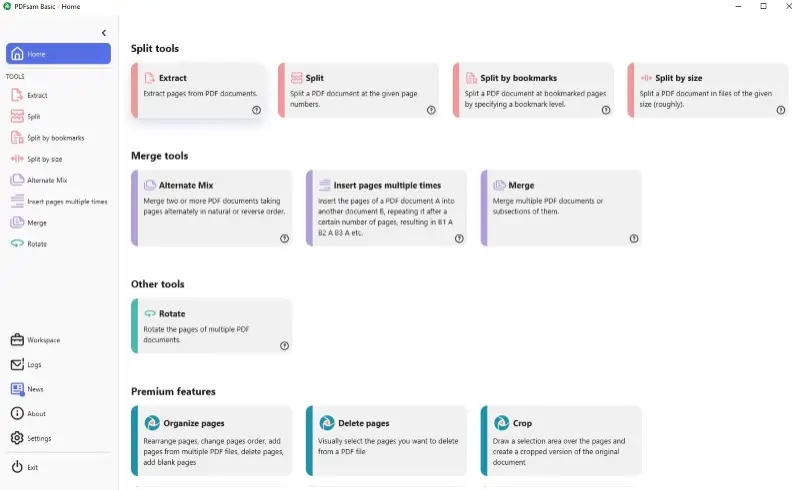
PDFsam Basic is a practical open-source PDF editor that keeps things simple. It won’t overwhelm you with unnecessary extras — the essentials for joining, parting, rotating, or pulling out pages.
Feature Overview
| Tool | Description |
|---|---|
| Merging | Combine multiple PDFs into one with ease. |
| Splitting | Divide large PDF documents into smaller files by sheets or bookmarks. |
| Page Rotation | Rotate individual lists to adjust orientation. |
| Extraction | Select and cut specific sheets for archiving. |
| Open-Source | Completely free and customizable, whether at home or in the office. |
Pros:
- No cost and code free PDF editor.
- Straightforward — handles uniting and fragmenting with no learning curve.
- Lightweight, so it won’t bog down system.
Cons:
- Lacks advanced editing features like form creation or OCR.
- The interface is a bit sparse.
Tips to edit PDF files
Managing PDFs isn’t always the most thrilling task, but a few smart moves can save you time (and maybe a bit of frustration). Here are some tips to help you get things done.
1. Master Shortcuts
Why click around endlessly when you could just tap a couple of keys? Shortcuts are your secret weapon for speeding up routine PDF work. Here’s a quick reference you’ll appreciate:
| Action | Windows | Mac |
|---|---|---|
| Commence a PDF | Ctrl + O | Command + O |
| Close the PDF | Ctrl + W | Command + W |
| Save Changes | Ctrl + S | Command + S |
| Undo | Ctrl + Z | Command + Z |
| Redo | Ctrl + Y | Command + Shift + Z |
| Zoom In | Ctrl + + | Command + + |
| Zoom Out | Ctrl + - | Command + - |
| Select All | Ctrl + A | Command + A |
| Search | Ctrl + F | Command + F |
Once you get the hang of these, you’ll wonder how you ever organized without them.
2. Compress Before Sharing
Nobody likes waiting for a massive file to upload. If PDF is starting to feel heavy, trim it down with a compression tool. You’ll sustain most of the quality, and recipients (and their inboxes) will thank you for not sending a digital brick.
3. Storing
Once you've finished editing your PDFs, confirm papers are stored securely — especially if there’s sensitive info inside. Here’s how to play it safe:
- Cloud: Upload to services like Google Drive, Dropbox, or OneDrive. These often provide additional encryption.
- Password: Add a code to PDFs if it contains anything private. Better safe than sorry.
- Backup: Don’t put all your trust in one device. Stick with extra copies, in case laptop decides to take a day off.
Sometimes, all it takes is an inexpensive external drive or a reliable cloud backup to avoid a major headache.
Conclusion
You really don’t need to be some sort of tech expert to handle PDFs efficiently. The apps we’ve covered are genuinely straightforward — perfect whether you’re at home, at desk, or out and about. From no-cost options to more feature-packed programs with trial runs, there’s an easy PDF editor out there for everyone’s style and budget.
Pick the one that suits routine, and you’ll see how much smoother editing can get.

Expert Tech Writer
