
What Is a Screen Recorder
Screen recording has become an essential tool in our digital age, enabling users to capture and share their desktop activities with ease.
In this article, we'll delve into what is a screen recorder, how it works and explore some examples of applications and online platforms.
Whether for educational purposes, professional demonstrations, or personal tasks, thanks to this technology, individuals are able create engaging and informative content.
What is a screen recorder?
A screen recorder captures the sound and picture that come from a computer or mobile device display. The utilities range from simple built-in widgets to more complex third-party versions that let you do a lot of editing.
The process has evolved significantly since its inception. Early programs were limited in functionality and often produced low-quality clips. Now, screen recording apps get high-resolution footage and provide additional elements.
Types of screen recorders
- Built-in tools come pre-installed on operating systems, such as QuickTime Player on macOS or Game Bar on Windows. They offer basic functionalities.
- Third-party applications are developed by independent companies. They often have enhanced editing, support multiple output formats, and have additional features like scheduling.
- Web-based screen recorders operate entirely online, allowing users to preserve their desktop directly from a web browser without the need for software installation.
How does screen recording work?
To create the footage of your activities, a screen recorder films the output of the device's graphics card. It takes pixel data and encodes it into a video format.
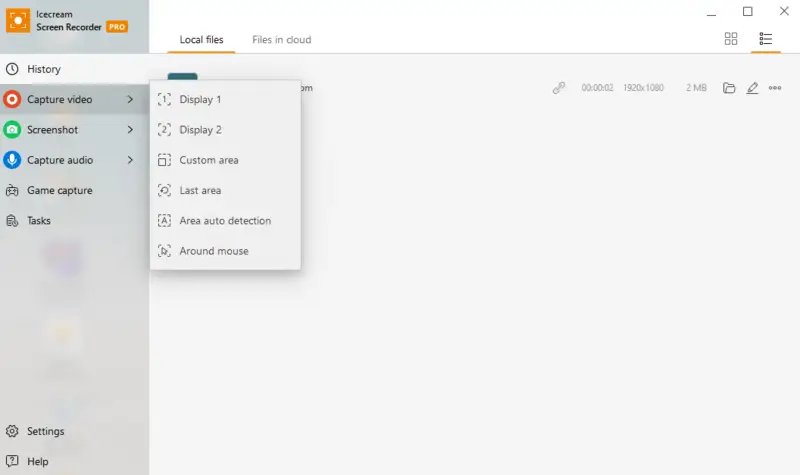
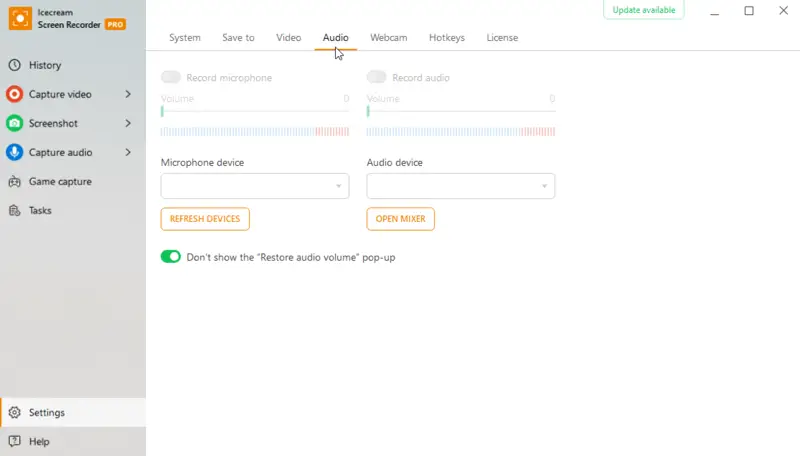
You can adjust the setup to film the entire monitor, a specific window, or a custom area. Additionally, screen recording programs let audio capture, either from the system's sound, a microphone, or both.
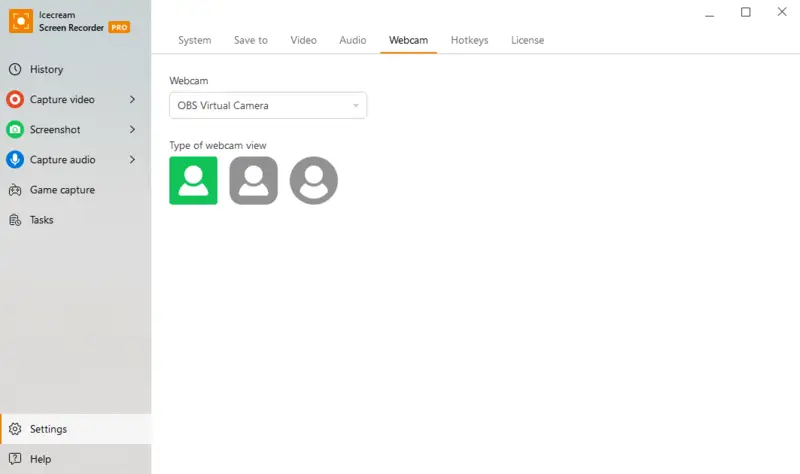
Most of the time, the apps not only record your display but also let you connect to your webcam for a more personal touch.
Popular screen recording software and tools
Choosing the best option for you depends on what you need. Think about things like how intuitive it is, what features it has, whether it works on your platform, and how much it costs.
1. Icecream Screen Recorder
Icecream Screen Recorder is a free screen recording software that is great for a wide range of users, from beginners to professionals.
The program is easy to utilize and has a lot of useful things. It lets you preserve any part of the display, which makes it ideal for webinars, tutorials, and gameplays.
Key Features:
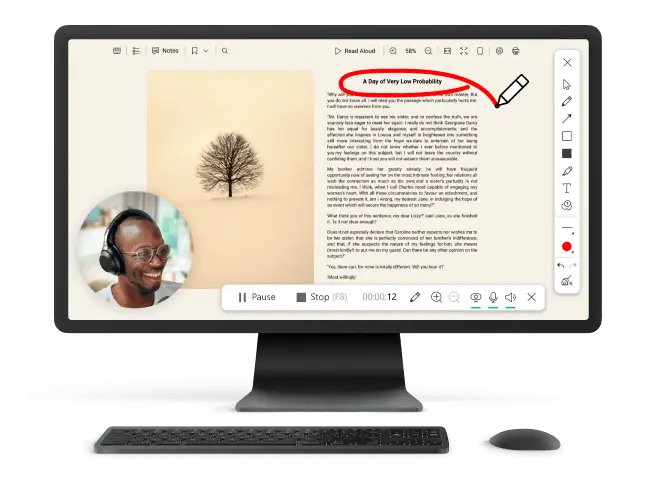
- Drawing and notes. Place text, arrows, and shapes on footage in real time.
- Schedule. Set up scheduled start and end time for the program to automate the process.
- Editing capabilities. Trim your screen recording or adjust the playback speed to fine-tune your results.
- Custom watermarks. Add personalized watermarks to your videos to protect your content.
- Multiple formats. Export the file in the type of your choice - MP4, AVI, WebM, or MOV.
2. Camtasia
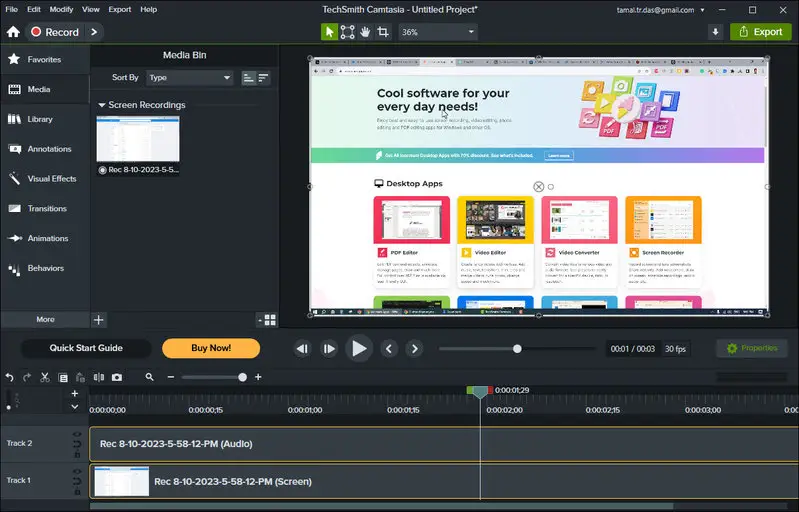
Camtasia is a powerful screen recording and video editing program made for professionals who need a lot of options for customizing their work.
The video recorder is a popular choice for high-quality instructional video content and presentations because it comes with a full set of tools that make the process quicker.
Key Features:
- Advanced editing. Includes multi-track timeline, animations, and effects.
- Interactive elements. Integrate call-to-action and other things to engage viewers and assess their understanding.
- PowerPoint Integration. Easily turn PowerPoint presentations into videos.
- Stock elements. Access a library of royalty-free music, icons, and motion graphics.
3. Vidyard
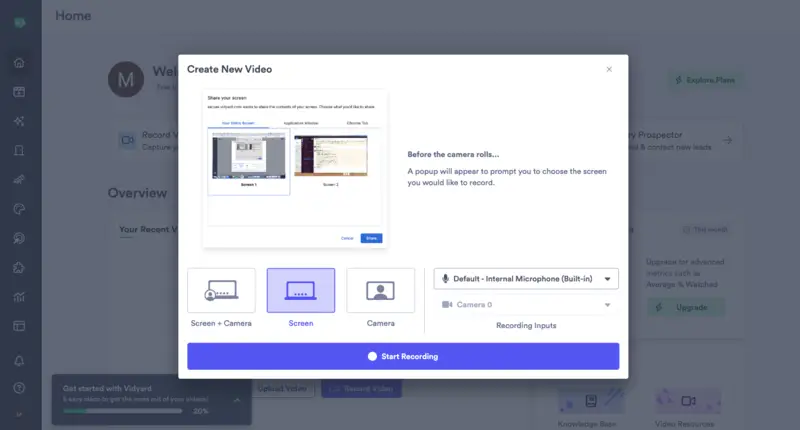
Vidyard is a platform for businesses to make, host, and analyze clips. Its main goal is to help companies improve their sales and marketing by providing personalized multimedia content.
It has a full set of video editing tools, including the ability to record your screen, which ensures it is perfect for interesting product demos.
Key Features:
- Personalization. Create personalized screen recordings for individual recipients.
- In-depth analytics. Track viewer engagement and performance with detailed analytics.
- Integrations. Connect with CRM systems like Salesforce and marketing tools like HubSpot.
- Hosting. Place videos on Vidyard’s platform and embed them anywhere online.
4. Video Candy
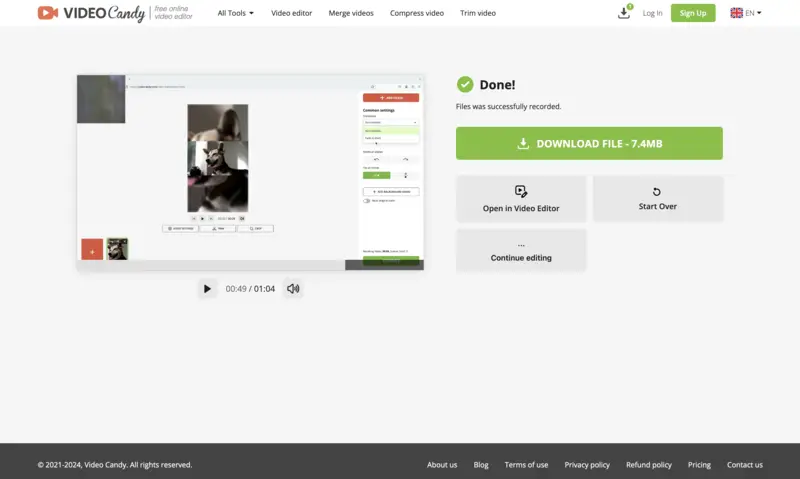
Video Candy is a free online screen recorder that offers a simple and straightforward approach to capturing activities.
This platform is perfect for users who need a quick and easy way to record their desktop without downloading any software.
Key Features:
- Online editor. Customize clips directly in your browser without any additional software.
- Screen and webcam. Capture both screen and camera footage simultaneously.
- No watermark. Export videos without watermarks, even in the free version.
- Browser-based. Works entirely online, so no installation is required.

Choosing the right screen recorder
- Purpose. Determine the main task — whether for video tutorials, gaming, professional presentations, or casual needs — and choose an option that supports those needs.
- Platform. Ensure the video recorder is compatible with your operating system (Windows, Mac, or mobile devices).
- Ease of use. Consider how intuitive the tool is to set up and navigate. If you're a beginner, look for simple, intuitive ones. Advanced specialists may prefer options with more customization.
- Features. Think about the type of content you need to capture. Do you need audio along with visuals? Will you need webcam or the ability to choose a specific part of the display?
- Cost. Free software often come with limited features, while paid options offer more advanced instruments and support. Consider your budget and whether these extras are worth the cost.
- Storage & sharing. Think about where you'll store your videos — cloud storage for easy sending or local storage for more control over files. Check if the tool provides export and sharing options.
- Support. Look for screen recorders with strong customer help, a knowledge base, or an active community to assist with troubleshooting or learning the software.
Uses of screen recorders
Screen recording apps and web tools are employed across various fields for different purposes.
Some of the common reasons people employ this utility:
- Educational tutorials. Teachers and educators create lectures to aid remote learning.
- Gaming. Gamers produce gameplay, or live stream to platforms like Twitch and YouTube.
- Professional presentations. Businesses use them for product demonstrations, employee training, and webinars.
- Technical support. IT specialists document bugs and provide visual troubleshooting guides.
- Personal needs. Individuals save video calls, DIY videos or important moments.
Tips for effective screen recording
- Choose a clutter-free display to maintain focus.
- Use a high-quality microphone for clear audio.
- Go in a quiet environment to reduce background noise.
- Adjust resolution and frame rate for smooth visuals.
- Keep videos trimmed and to the point.
- Highlight key areas with cursor effects or annotations.
- Test your setup beforehand to avoid technical issues.
- Save and back up resulting files to prevent data loss.
FAQ
- Is screen recording safe?
- The process itself is generally safe and widely employed for legitimate purposes such as creating tutorials, gameplay clips, and presentations. However, people should exercise caution to respect privacy laws and obtain necessary legal permissions before filming sensitive or confidential content.
- Does my phone have a screen recorder?
- Most modern smartphones come with a built-in widget. For example, iPhones can access it from the "Control Center", while many Android devices include the tool in the "Quick Settings" menu.
- Is screen recording detectable?
- Certain streaming services or multimedia applications implement anti-screen recording mechanisms to prevent illegal content. However, in general scenarios, filming is not automatically detected by other users.
- Why aren't my screen recordings saving?
- There may be insufficient storage space on your device, incorrect settings, or software glitches. Run the checks for each possible issue and try again.
Conclusion
A screen recorder is an invaluable tool for technology specialists, from educators and gamers to professionals and hobbyists.
By understanding its capabilities and choosing the right program for your needs, you can create high-quality footage that serve a wide range of purposes. As technology continues to evolve, so too will the potential of screen recording, making it an exciting field to watch.

Expert Tech Writer
